At PHYTEC, we’ve spent more than 40 years helping customers move from development to production.
One of the best parts of that journey is seeing an idea become a real product in the field. But before that happens, there is usually one stage that tests every team’s patience: bring-up.
We’ve seen a handful of issues show up again and again on customers’ prototype carrier boards. The good news is that many of them can be avoided with a few smart design checks before your first boards are built.
Here are 4 worth reviewing before fabrication.
1) Power Sequencing
A board that will not boot often comes down to power coming up in the wrong order.
PHYTEC’s SOM designs handle their own power and startup requirements, but the carrier board still needs to account for proper sequencing. Rails, resets, and peripherals must be enabled at the appropriate times to ensure reliable system startup.
Watch for:
- Peripherals enabling before PGOOD is asserted
- External circuitry receiving power before PGOOD is asserted
- Incorrect reset timing
Why it matters:
PHYTEC handles the SOM’s internal power sequencing for you. When we troubleshoot inconsistent boot behavior on custom prototype boards, we often find the carrier board is interfering with that sequence. For example, by backfeeding power through PGOOD or powering external circuitry too early.
Helpful tip:
The hardware manual provides the connection guidelines you need, and PHYTEC’s development kit schematics provide a proven carrier-board reference that you can follow directly when designing your own board. Be sure to review both during your design!
2) Boot Mode Strappping
Sometimes a board is not failing to boot; it is simply trying to boot from the wrong place.
If boot mode pins are strapped incorrectly, left floating, or set to the wrong defaults, the processor may never attempt to boot from the source you intended.
Watch for:
- Incorrect pull-ups or pull-downs
- Floating boot pins
- Wrong default boot source
Why it matters:
What looks like a power issue can sometimes be a boot configuration issue.
Helpful tip:
For early development, SD boot is often one of the easiest and most flexible debug options. It makes software validation easier and gives you another path to test startup behavior before moving to a locked down production configuration.
3) You Do Not Have Enough Test Points
One of the fastest ways to slow down bring-up is not giving yourself enough visibility into the board.
If you cannot probe the right signals, even simple issues become time consuming.
Make sure you can access:
- Main power rails
- Reset lines
- PGOOD and enable signals
- Boot strap pins
- Key debug interfaces
Why it matters:
Good test access makes debug faster, cleaner, and less frustrating.
Helpful tip:
Include a few large grounding points for probing. At PHYTEC, we often use mounting holes on the SOM and carrier board as convenient probe ground points during developemnt and testing.
4) Core Support Circuits Were Changed Too Much
Customization is part of carrier board design, but some circuits are worth keeping very close to the proven reference design, especially on Rev A.
We often see design issues happen when foundational support circuits are modified too aggressively too early.
Stay close to known-good circuits around:
- Power
- Reset
- Boot configuration
- Serial console
- Basic debug access
Why it matters:
These are the circuits that often decide whether your first prototype boots cleanly or becomes a debug project.
Helpful tip:
When in doubt, start with what is already proven to work. That’s why PHYTEC provides customers with development kit schematics and design files.
Final Thoughts
We love seeing customers move quickly from first prototype to production, and we know how frustrating early bring-up issues can be.
A lot of delays come down to the same few root causes:
- Power sequencing
- Boot mode setup
- Limited test access
- Core support circuits drifting too far from the reference design
This is exactly why we encourage customers to review these basics before their first board spin.
It is also why PHYTEC offers free schematic reviews for customer designed carrier boards.
Want a Second Set of Eyes Before Fabrication?
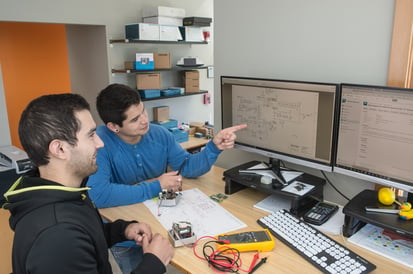 If you are building a custom carrier board around a PHYTEC SOM, our team can help review your design and catch common design issues early.
Request a free schematic review by contacting our support team to help reduce risk and keep your project moving toward production. Simply mention "Free schematic review" and attach a searchable pdf copy of your schematic.